Skip to content

Apple

Fix for error -15000 Remote speakers on iTunes / Windows 7

So, just to be clear: this is not about iTunes on MacOSX, it’s only about iTunes 10 on Windows 7. It might work on Windows Vista, but I have no PC with Vista to test. It might help on versions earlier than iTunes 10 (I read the version 8 already had the problem), but I haven’t tested that.

The problem is the following: while it used to be possible (in older versions of iTunes), your iTunes  might not stream the music to an Airport Express / Apple TV (the feature they call ‘Airtunes‘), and every time you try, iTunes will come back with an error ‘An error occurred connecting to the remote speaker (…). An unknown error occurred (-15000).‘. What is happening is that the Windows Firewall is blocking the UDP connections for Airtunes (ports 6001-6003 if you’re asking). For some reason the old firewall rules for iTunes don’t work with the new version.

How to fix this: only if you’re not afraid of diving into your PC’s configuration. If you’re a novice or feel unsure, ask someone more knowledgeable to do it for you. Check if the person knows what a firewall is used for. “Security” is a too general answer.

Imagine: a virtual iPhone for everyone

I was downloading a free iPhone app at noon, and I thought: some of these applications have no good alternative in the browser world. Imagine everyone could start using/buying the Apple iPhone/iPod Touch applications right in their browser. You give your Apple ID, you purchase an app like ColorSplash and off you go. Some of the multi-touch interface would be hard to emulate, but still. It would have to be an Apple application that does it: like e.g. iTunes. It’s got your Apple ID anyway. Why not run a virtual iPod Touch in there?

Touched by the iPod

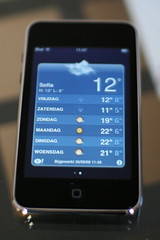
As most geeks in my circle of friends, I am known to buy hardware slightly more often than the average Joe. I have 3 Wifi routers at home (just gave away my 4th one), I have more than 2TB of hard disk storage, split out over half a dozen of PCs and devices, and I have more USB cables than teeth. But hardware that makes me *really* happy, that is uncommon. Don’t get me started on failing hard disks and non-functioning printers. So let me tell you about this new piece of hardware that I bought: the iPod Touch.

Apple trailers: when 720p isn’t always 720p

One of the best places to look for high-quality movie trailers is Apple Trailers. They have lots of bandwidth and a large selection (altough they don’t have e.g. the new Indiana Jones 4 trailers, which are exclusively on Yahoo HD trailers).

Apple typically offers its HD trailers in 3 formats: 480p, 720p and 1080p. The “p” stands for “progressive” i.e. not interlaced, every frame is a full picture instead of only the odd or even lines. The 480 in “480p” stands for the number of lines in the image. 480p is roughly equivalent with DVD quality, 720p is “HD Ready” and 1080p is “Full HD”.

But let me give a concrete example of the resolution of 3 trailers:
resolutions of Apple Trailers

iPod in 2009: more storage or bandwidth?

I had an interesting discussion some days ago: will the iPods move to more storage (e.g. the Terabyte iPod) or more bandwidth (Bluetooth, EDGE, Wifi). Let me sketch what those two scenarios for the future iPod look like:

2009 iPod as personal media storage

iPod Video 16:9That new iPod ‘3D’ might not be much bigger than the current 60GB iPod video, but it has a better 16:9 screen, and way more storage. It ships with a 500GB Flash card that is replaceable. You typically buy more storage cards: 1 for all your music, 1 for essential movies (with that Hitchcock and Tarantino collection), 1 for TV series (one season is around 15GB) and fill them up from your 50TB home media set-up.
The sleek white player has wireless USB and uses wireless battery reload (with magnetic holder) so you don’t need a cable for anything. Your 5.1 headphones: wireless. Copying from that 50TB iTunes/Tivo media station: wireless. Hooking it up to an HD-TV: wireless. Sure, it has Gigabit Wifi too (which is really only around 250Mbps, but we’re used to that from the 802.11 guys), but not everyone uses that yet, certainly not in that Ardennes village where you booked that small hotel for your “24” marathon (12 seasons, who would have thought? Thank god for the 2x hi-speed viewing mode).
It can obviously play the new “3HD” (3-dimensions) standard, which is really neat if you have one of those new holographic projectors. If you have subscribed to the (rather expensive) iTunes ‘Premium Hollywood’ service, you get all new movies on your iPod at the same moment when they are released in the cinemas. You only get them at consumer-grade HD resolution (2048×1080 – looks OK on that 50″ screen), not at the new DCI 8K standard for movie theatres (8192×4320 with HDR) but who’s complaining.

Apple creates RSS the Microsoft way

When Apple reinvented the photofeed, they actually were a bit sloppy. Instead of building upon standard RSS and the Media RSS extensions backed by Yahoo!, Feedburner et al., they decided to do what Microsoft has always been accused of: they made a different, non-compatible RSS format.

cf http://static2.podcatch.com/blogs/gems/snedit/rss.xml
It’s pretty bad. There are lots of errors, the date formats are wrong, there are elements that are not in RSS that aren’t in a namespace.
via scripting.wordpress.com (Dave Winer)

Apple photocast RSS
from static2.podcatch.com/blogs/gems/snedit/rss.xml

  • First of all, it looks like they made a ‘wallpaper-cast’ instead of photocast. The RSS extensions are called www.apple.com/ilife/wallpapers.
  • The RSS feeds are only accessible with a specific UserAgent, i.e. only with Apple Safari. Try to open it in any browser and you get an error message. (Update: actually, while I was writing this, the behaviour seems to have been changed to delivering the RSS with Content-Type: application/octet-stream. So this is more or less fixed – application/rss+xml would have been better)
  • The dates are not conform the RFC822 standard: “2006-01-11 16:43:22 -0800” should be “Wed, 11 Jan 2006 16:43:22 -0800”. Most RSS parsers will have no problem with this, but if there’s an official RSS specification, why not follow it.
  • They put the image URL in the link field, which does not allow extra attributes like type or size. Why not use enclosure?
  • For all the date related metadata (photoDate, cropdate), why not use Dublin Core dcterms?

Apple reinvents photocasting in iLife ’06

“Eigen lof stinkt” as they say in Dutch, but who told you back in August of 2005 that RSS + images made sense (‘Photofeed: image podcasting’)?

A major new feature of iLife ‘06 is what Apple calls “Photocasting.” Described as podcasting for photos, photocasting makes it possible to share photos over the Internet using one mouse-click. The photos are updated to your .Mac account, where users can subscribe to them using Really Simple Syndication (RSS).
from macworld.com

and

Take Photocasting, for instance. A brand-new feature in iPhoto 6, it lets you share full-resolution photos with friends and family who subscribe via an email invitation you send using your .Mac Mail account. As you update photos in a Photocast album, they appear in your subscribers’ iPhoto libraries automatically — ready to print or add to iPhoto books, calendars, or greeting cards. And anyone can subscribe to your Photocasts: even if they don’t have iPhoto, they can still access your photos via any RSS-compatible web browser.
from www.apple.com/ilife/dotmac/

Photocasting, photofeed, tom-ay-to, tom-ah-to, whatever. It’s great to be right! Just send that MacBook Pro my way, Steve.