Skip to content

podcast

Favourite podcasts: Basic Soul Radio Show

I subscribe to less and less podcasts (not enough time to listen), but there is one I always install on every newly installed iTunes. It’s called the Basic Soul Radio Show, it’s presented by Simon Harrison. Every week Simon selects two hours of old and new funk, soul and electronic music, which makes for a 200MB MP3 every time (upgrade that hard disk!). I have discovered lots of little pearls thanks to it. Some examples from the top of my head:

Click to hear the MP3 (playlist)

More than a year ago, I wrote an piece on Playing mp3 with an embedded Flash player. Things change quickly in this area, so it’s time for an update.

These are all tools to play either individual MP3 files or playlists (e.g. podcast RSS feeds) in a web page. Most of them are based on Macromedia/Adobe Flash. Where possible, I’ll use my Smoothpod Mashups as an example feed.

Hosted Service (insert HTML code)

Pupuplayer Free
License: no details – I presume it’s free to use
Format: expects a podcast feed as input
pupuplayer
Pickle Player
License: no details – I presume it’s free to use
Format: expects a podcast feed as input – or can work with individual MP3 files
pickle player
FeedPlayer
License: no details – I presume it’s free to use
Format: expects a podcast feed as input
feedplayer
Webjay (now Yahoo!)
free
can work with feeds or MP3 files, can also generate a playlist from an HTML page
webjay
Webjay Wizard
This tool of mine can also be used to create the HTML code for Windows Mediaplayer, RealPlayer or Quicktime embedded players

PDF podcasts: proof of concept

Videography magazine: via PDFBackground
I read a lot of info on digital cinema these last months. I find there is little syndicated content (blog feeds) to be found on the topic. Some sites have a page of press releases and/or an email newsletter, but that’s about it. That’s why I have created some custom RSS feeds with feed43. (e.g. Digital Cinematography feed for the CMP Digital Cinematography Magazine)
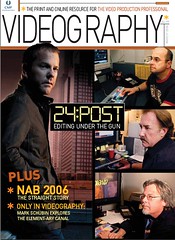
What I do see is that some sites publish really nice magazines in PDF (Portable Document Format – by Adobe) format (see Videography on the right). You only know about these if you go visit the site of course – very Web 1.0. So if there could be a feed that alerts me of new issues of these PDF files … And while we’re at it, why not put the PDF link as an enclosure in the RSS feed, podcast style? And just like an MP3 podcast is automatically transferred to a portable MP3 player, could a PDF podcast be automatically printed? The answer is: Yes. Let me show you how.

Apple creates RSS the Microsoft way

When Apple reinvented the photofeed, they actually were a bit sloppy. Instead of building upon standard RSS and the Media RSS extensions backed by Yahoo!, Feedburner et al., they decided to do what Microsoft has always been accused of: they made a different, non-compatible RSS format.

cf http://static2.podcatch.com/blogs/gems/snedit/rss.xml
It’s pretty bad. There are lots of errors, the date formats are wrong, there are elements that are not in RSS that aren’t in a namespace.
via scripting.wordpress.com (Dave Winer)

Apple photocast RSS
from static2.podcatch.com/blogs/gems/snedit/rss.xml

  • First of all, it looks like they made a ‘wallpaper-cast’ instead of photocast. The RSS extensions are called www.apple.com/ilife/wallpapers.
  • The RSS feeds are only accessible with a specific UserAgent, i.e. only with Apple Safari. Try to open it in any browser and you get an error message. (Update: actually, while I was writing this, the behaviour seems to have been changed to delivering the RSS with Content-Type: application/octet-stream. So this is more or less fixed – application/rss+xml would have been better)
  • The dates are not conform the RFC822 standard: “2006-01-11 16:43:22 -0800” should be “Wed, 11 Jan 2006 16:43:22 -0800”. Most RSS parsers will have no problem with this, but if there’s an official RSS specification, why not follow it.
  • They put the image URL in the link field, which does not allow extra attributes like type or size. Why not use enclosure?
  • For all the date related metadata (photoDate, cropdate), why not use Dublin Core dcterms?

Apple reinvents photocasting in iLife ’06

“Eigen lof stinkt” as they say in Dutch, but who told you back in August of 2005 that RSS + images made sense (‘Photofeed: image podcasting’)?

A major new feature of iLife ‘06 is what Apple calls “Photocasting.” Described as podcasting for photos, photocasting makes it possible to share photos over the Internet using one mouse-click. The photos are updated to your .Mac account, where users can subscribe to them using Really Simple Syndication (RSS).
from macworld.com

and

Take Photocasting, for instance. A brand-new feature in iPhoto 6, it lets you share full-resolution photos with friends and family who subscribe via an email invitation you send using your .Mac Mail account. As you update photos in a Photocast album, they appear in your subscribers’ iPhoto libraries automatically — ready to print or add to iPhoto books, calendars, or greeting cards. And anyone can subscribe to your Photocasts: even if they don’t have iPhoto, they can still access your photos via any RSS-compatible web browser.
from www.apple.com/ilife/dotmac/

Photocasting, photofeed, tom-ay-to, tom-ah-to, whatever. It’s great to be right! Just send that MacBook Pro my way, Steve.