Skip to content

repo

A static Docs site for every project

TL;DR: I have started using mkdox (which uses mkdocs, material and Docker) to create a static documentation site for every repository/project I’m working on. It’s easy, light and fast. It also invites me to document everything in Markdown, which is great for coding agents.

Mkdox: fast and easy Mkdocs Material

If I wouldn’t be able to control myself, I would create a new website every week. Creating a website about … any topic really, helps me structure the knowledge I have or am in the process of collecting about it. The tools to create a new website have changed through the years. There was my Blogger period, my WordPress period, my Jekyll period. And now I am in my Mkdocs period.

Bash benchmarks

When writing bash scripts, one needs to find ways to do things that aren’t built in to bash. String manipulation like lowercase conversion, parsing, removing whitespace… all use tools/binaries built-in to the OS, but not in the language itself. I’m talking about tools like cut, awk, tr, sed, sort, …

Advanced dotenv config files for bash scripts

A technique commonly used practice in (deployment of) software projects is to put your local configuration, environment variables and secrets in a .env file in the root of your project. This .env file is structured as a one-dimensional lookup table (a list of key=value lines), and saved only on that server, never checked in to the project code.

setver: Package (semver) version management for bash/PHP/Node

When you’re creating software packages that will be used by other people, you need to get your versioning in order. For PHP libraries, this means: both the version number in composer.json as well as the git tag for Github/Bitbucket. For node.js projects, the version is kept by npm in package.json. It was always too easy to make small mistakes. So I decided to make a bash script <strong>semver.sh</strong> to manage it for me.

A handy tool to look up Emojis

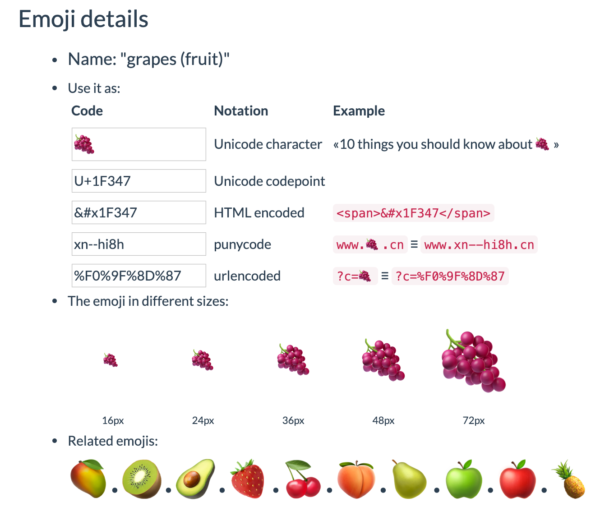
I recently took the habit of using more Emoji characters in blog posts and titles, because why not 🤷‍♀️. In order to look up the most appropriate Emoji, I was always checking out the official Unicode Emoji list. Unfortunately, that list is HUGE and loads very slow 🐌. So I made a tool to 🔍 look up Emojis easily!