If you’re allergic to acronyms, don’t read on. I’ve reached an all-time TLA/FLA density high in the following article!
 THE PROBLEM
Who knows the passwords you use for your email accounts? Who knows the password you use for your FTP account? Who knows the password to your blog admin page? There might be more than you thought!
Imagine user John Doe, with username jdoe who has the ‘strong’ password “p@ssw0rd“. Let’s take a look at what conversation happens when his Outlook/Thunderbird email client connects to check for new messages, or when he uploads a new version of his website with Filezilla/Dreamweaver:
This is a typical FTP conversation:
Response:  220 (ID of the FTP server)
Command:    USER jdoe
Response:   331 Password required for jdoe.
Command:    PASS p@ssw0rd
Response:   230 User jdoe logged in.
Command:    ...
This is a typical POP3 (email) scenario
Command:   USER jdoe
Response:   +OK Password required for jdoe
Command:    PASS p@ssw0rd
Response:   +OK jdoe's maildrop has 2 messages (320 octets)
(remark: POP3 does have an APOP command that does not transfer the password in clear-text. It is however typically used for 2nd and following POP3 connections, using a piece of information that was given in the first transaction)
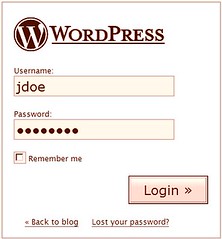 Even more scary: when you log in to your blog/CMS software (that does not use a Google, Yahoo, MSN or Passport account), how does your password reach the server, you think? Encrypted? Not!