En Tus Brazos
Enjoy the beautiful French animation movie “En Tus Brazos” about how nothing can stop a tango dancing couple … not even fate. It abounds with creativity, sentiment and argentine tango.
I want to mention a little tool that helped me out twice in the last week, and that I find very little info about online. It’s a Windows command-line MP3 file tagger and renamer called id3.exe. Since I forgot where I downloaded it from and Google doesn’t give me a clue either: here’s where you can download id3.exe.
ID3.exe can do several things, of which I will just cite the things I actually used:
id3.exe -1 -2 -g [genre] -c "[Copyright notice]" -l "[Album name]" "%OUTPUT%"id3.exe -D %INPUT% -1 -2 "%OUTPUT%"id3.exe -2 -f "%%a - %%l - %%t.rbs" "%OUTPUT%"
An Baccaert wrote an article in De Morgen about Nathalie and Andrés, who are representing the Benelux in the ‘Mundial de Tango‘ in Buenos Aires. She wanted a nice picture to include with the article and came across one I made at the Tango Marathon in June.
I am using Google Agenda as the central repository for the milonga.be Belgian tango agenda, which I edit together with half a dozen other tango enthusiasts. While the principle of a central, hosted calendar storage works wonderfully, I (have to) use a modified PHPiCalendar to display different views on the agenda (‘only Brussels’, ‘only workshops’, ‘1 week in advance’, ‘1 month in advance’, …). There are actually a couple of features that I’d like to see in Google Agenda, and what better place to list them but here:

Currently an event in the agenda has the fields Title, Date/time (with recurrency, if any) , Location and Description. What I really miss is Tags (or categories, keywords, whatever you want to call them). Tags would allow me to attribute events to categories so that I can easily slice and dice them: only display the “milonga’s”, the events in Antwerp, the events in a specific place. Now I had to write a modified ‘filtered printable view’ for PHPiCalendar so that I can search on specific words in the event title, but that is really a hack. E.g. I now ask every editor to create the event titles as
“[TYPE]: [name of the event] @ [LOCATION]”
so that I can filter on “CONCERT:” or “@ Gent”. With the tags “concert, gent, polariteit, openair” it would be so much easier.
The iCalendar specification even mentions a ‘Categories’ field, although Google Agenda currently does not use it.
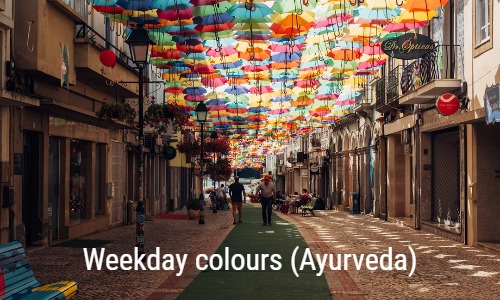
I was recently introduced to the fact that, in some cultures, the days of the week have associated colors, and that one might take these into account when choosing what to wear, to eat or drink. I looked into it and found the explanation. These are the weekday colors, as defined by the Ayurveda, the ancient healing science that is native to the Indian subcontinent.